OpenAI’s image model, for drafting
The model behind ChatGPT Images 2.0, run at a lighter quality setting so working out a shot costs little.
Start creating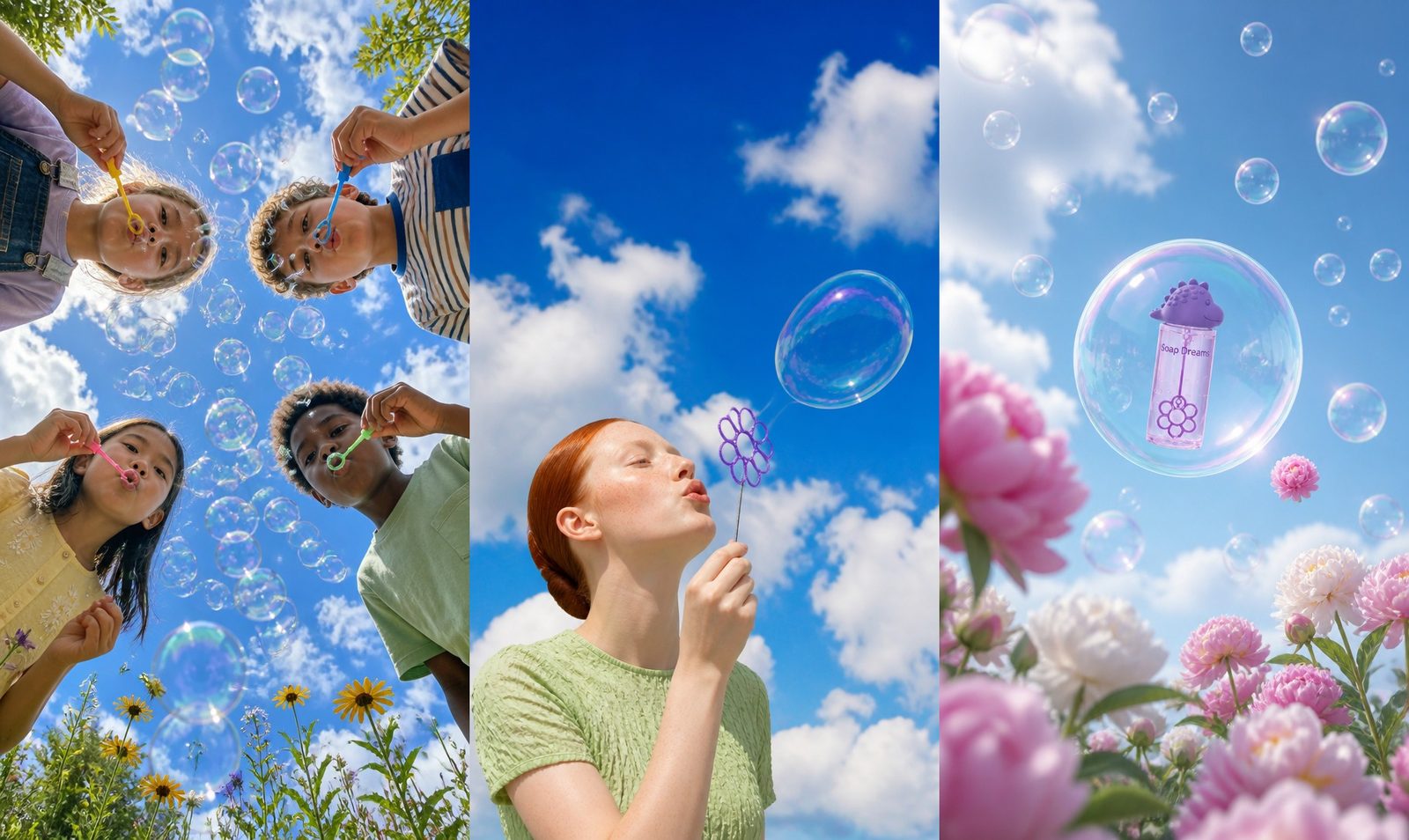
Why start on GPT Image 2
OpenAI’s model, set up for the stage where you are still deciding.
OpenAI, without the setup
GPT Image 2 is OpenAI’s own image model. Hypernatural runs it for you and bills it in credits, so there is no OpenAI account or API key to sort out first.
Priced for second guesses
GPT Image 2 is among the cheapest image models in Hypernatural, so a second attempt at a framing, a pose or a prop is not something you have to weigh up.
Your cast in the first draft
Hypernatural attaches the photos behind every @handle you write — characters and products alike — and GPT Image 2 works from several at once, so a person and a product can share the frame.
GPT Image 2.5 when it counts
Once the shots are settled, switch the video’s image model to GPT Image 2.5 and regenerate the ones that ship. The shot descriptions carry straight over.

The whole idea, before the polish
At its lighter setting GPT Image 2 keeps the rendering simple, but the brief arrives whole: the green dress, the cloud held overhead like an umbrella, the path heading for the cliff edge. That is the job of a draft — showing you whether the idea works before you pay for detail.
Your packaging, from its photos
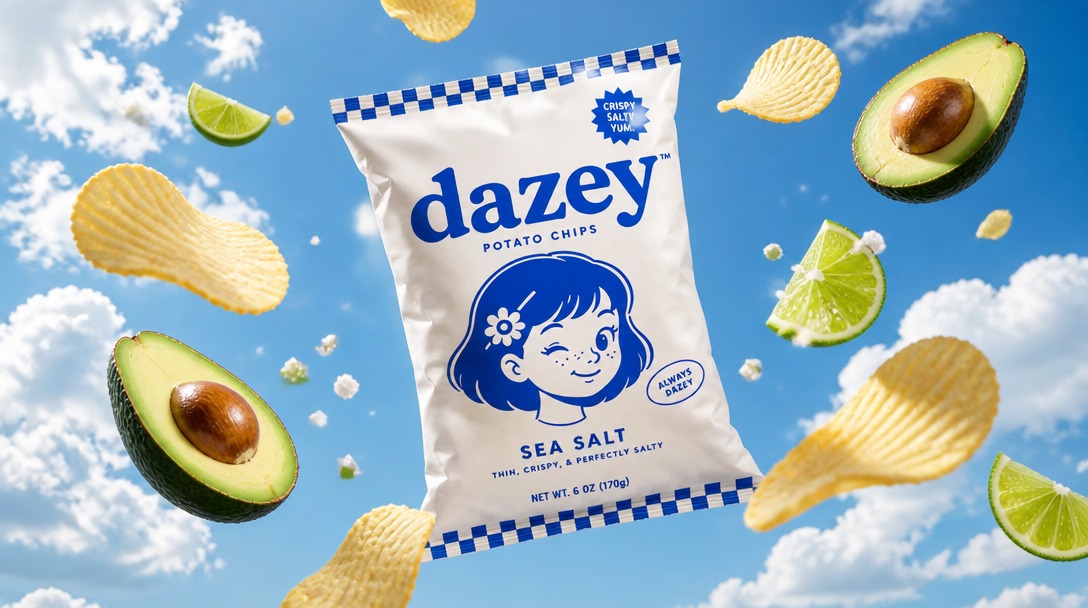
@mention a saved product in the shot and Hypernatural sends its photos along, so GPT Image 2 is looking at the actual bag rather than reading about it. The wordmark, the winking mascot and the checked trim all come back, which is plenty to judge a layout on before the final render.
Check the casting while it is cheap
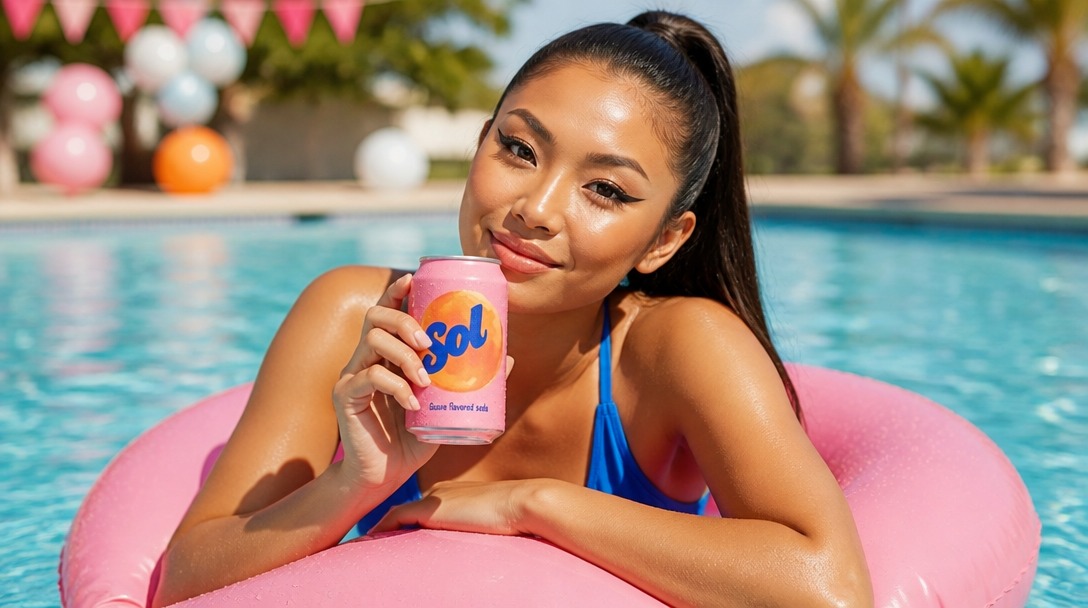
Pair a person’s @handle with a product’s and Hypernatural attaches both references to the one shot. GPT Image 2 puts her in the pool with the can in hand, so you can see whether the pairing works before spending more on the frame that ships.
FAQs
OpenAI’s image model, released in April 2026 and the one behind ChatGPT Images 2.0. Hypernatural offers it as the lower-cost of its two OpenAI options and runs it at a lighter quality setting, which suits working out framing, casting and props. GPT Image 2.5 is the OpenAI option for the frames you publish.
No. Hypernatural runs GPT Image 2 itself and charges it in Hypernatural credits, so there is no OpenAI key, API setup or ChatGPT plan involved.
2.5 is OpenAI’s newer model, and Hypernatural runs it at a higher quality setting, so its frames come back with richer light and texture — and cost more. One video can use both: draft its shots on GPT Image 2, then switch its image model to 2.5 and regenerate the shots that make the cut.
It is in the lowest band of Hypernatural’s image pricing, well below GPT Image 2.5. You don’t have to look the number up: the model picker shows what each option costs as you choose it.
Yes. Save them to your library, then put their @handles in the shot. Hypernatural attaches photos only for an @handle — a name written out plainly brings nothing along. GPT Image 2 reads several references at once, which is how a character and your product end up in the same frame. To change what a character wears, name the outfit in the shot.
You can — the still becomes the first frame Hypernatural hands to your video model, which animates forward from it. That also means the still sets the look of the clip, so once a frame is settled it is often worth regenerating it on GPT Image 2.5 before you spend on video.
Try GPT Image 2
Work the shot out on OpenAI’s model, then decide what earns the finish.
Start creatingHypernatural Desktop
Make videos with GPT Image 2 from Claude Code or Codex
Hypernatural Desktop has GPT Image 2 built in. Ask your agent to use it in any workflow, like these.
- hn/workflow-talking-head-extra-edit
Talking head extra edit
Turn a raw webcam or talking-head recording full of retakes into a tight rough cut of the best takes, then make it EXTRA in the client's own brand: kinetic titles, karaoke captions, synthesized sound effects and motion graphics that react to the speaker's face and hands, with type behind them that's never more than a little hidden. Use for founder or creator explainers, launch and feature videos, and any 'cut my takes and go wild with graphics' request.
WorkflowOfficial - hn/workflow-script-to-video
Script to video
Make a finished narrative video from a written script: adapt it into script.json, cast and perform the voices, design the sets, stage the cast in stills, compose every shot with its dialogue spoken in the cast voices, composite titles over the footage, then make the cuts and deliver. For scripted shorts, skits, training dramas, quiz shows and multi-character scenes made from nothing but text.
WorkflowOfficial - hn/workflow-product-explainer-video
Product explainer video
Make a ~35 s faceless marketing explainer for an app or product from its own code repo or website: a voiceover over kinetic type in the brand's colours and the product's real screenshots in a phone frame, with a music bed, built as one hn4a-compositor spec cued from the voice take's own word times. Problem, brand, three how-it-works steps, one feature, social proof, end card. Covers mining the repo for copy, facts and images, a script and aspect gate, the opening scene in a few looks on estimated word times shown live minutes after the script, beside the voice and music auditions, then the whole layout in the picked look cued to the picked voice, shown live before the render. Costs well under $1. For an ad with a presenter avatar and rebuilt UI, use workflow-product-ui-video.
WorkflowOfficial
Community
© 2026 Hypernatural Systems, Inc.