Flagship stills that get the words right
ByteDance’s top image model, rendering text into the frame in a dozen languages — packaging, signage, and title cards that read as written.
Start creating
What makes Seedream 5 Pro different
The tier for frames that carry type, a dense layout, or a shelf of references at once.
Type in a dozen languages
Chinese, Japanese, Korean, Arabic, Russian and more, rendered into the picture rather than laid over it.
Dense layouts that hold
Packaging panels, poster blocks, and structured designs where every element stays where you put it.
Up to ten references a frame
Write three @handles in a shot and Hypernatural attaches all three photos; Seedream 5 Pro works from every one.
Priced to use more than once
Flagship output you can spend across a whole set, not just the hero frame. Hypernatural’s picker shows its exact cost before you generate.
Detail that holds at full screen
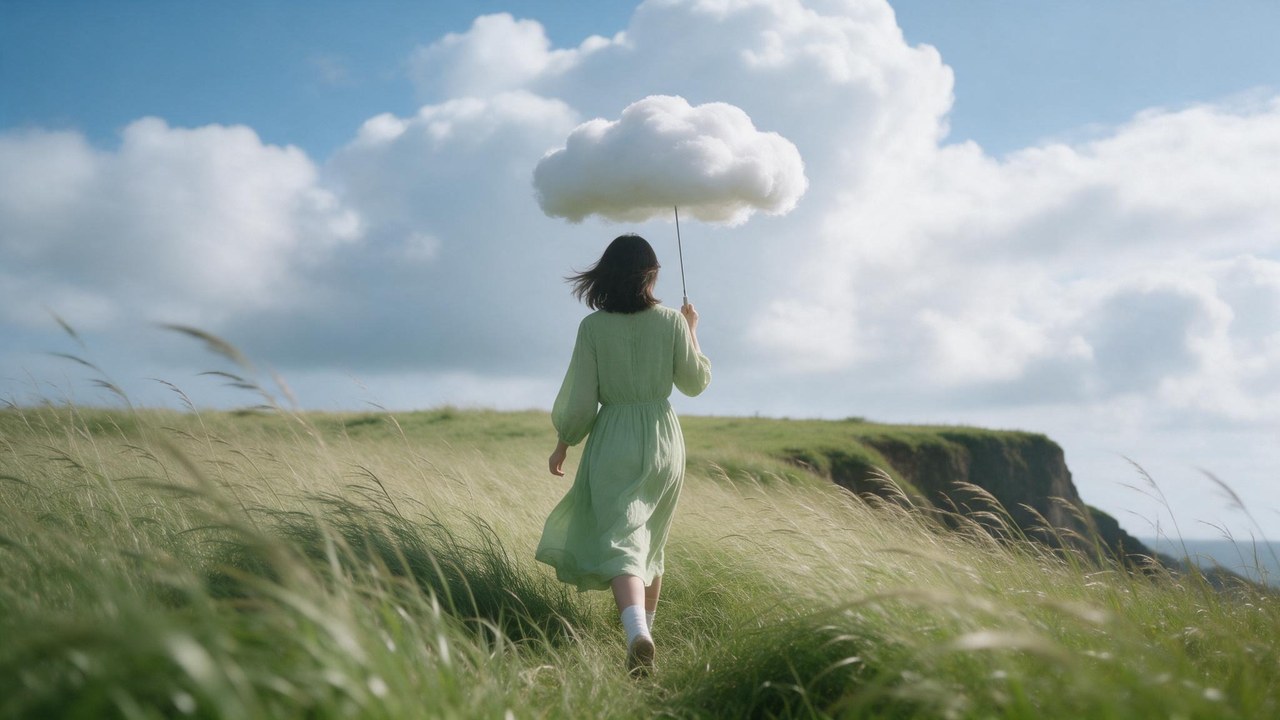
Flagship-tier rendering, so the grass keeps its blades and fabric creases the way fabric does. Sharp enough to fill a screen or take a hard zoom without the texture falling apart.
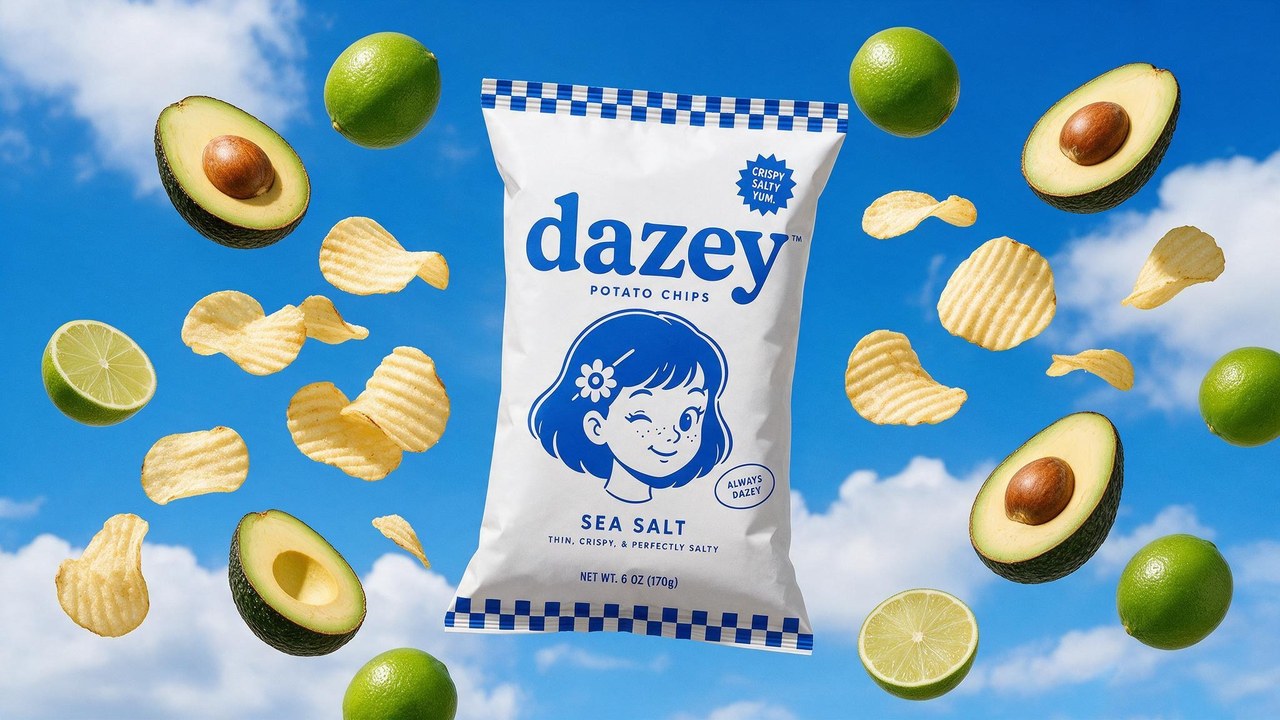
Packaging that survives the zoom
Write a saved product’s @handle in the shot and Hypernatural attaches the photo rather than a description of it, so the wordmark comes back as printed instead of as a guess at it. Ask for new copy on the pack — a flavor name, a weight, a line of Japanese — and Seedream 5 Pro renders that too.
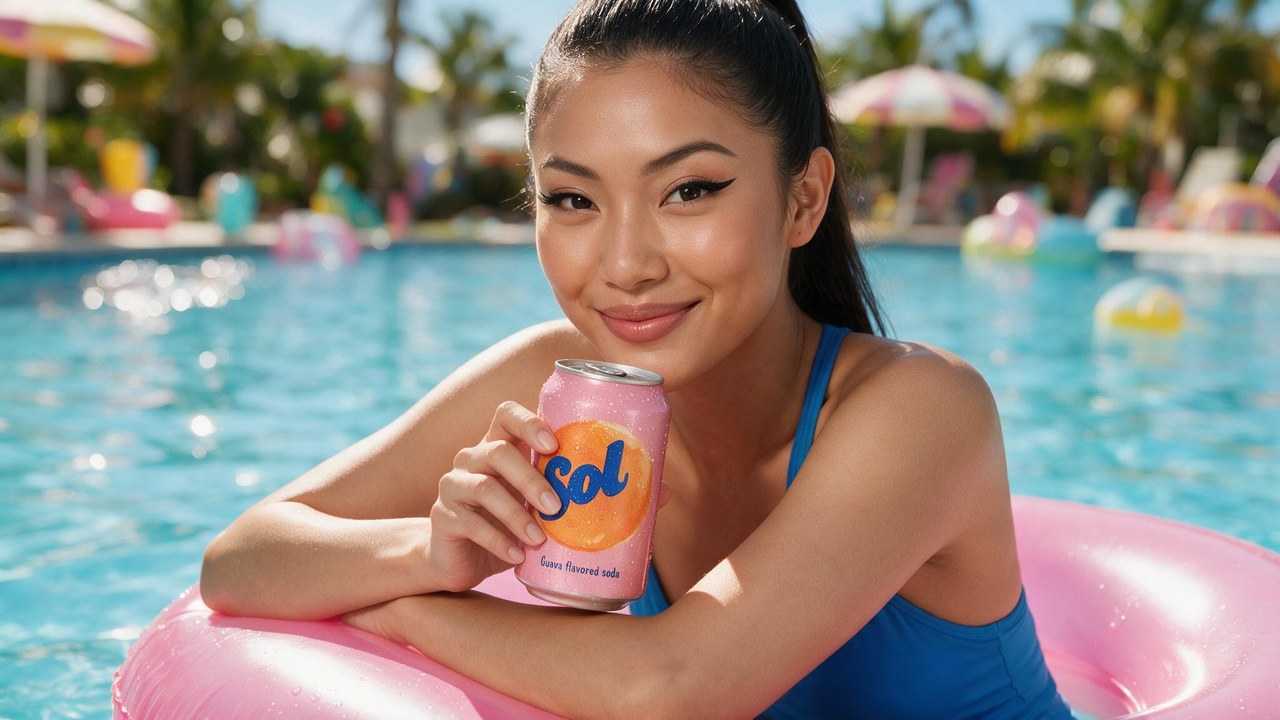
Ten references, one scene
Seedream 5 Pro reads up to ten reference images at a time. @mention your character, the can in her hand, and the location, and Hypernatural hands over every photo — so they arrive together in a scene none of them was shot in.
FAQs
Seedream 5 Pro is ByteDance’s flagship image model, and it is the one to reach for when the frame has to carry words: packaging and labels, posters and signage, title cards, and compositions laid out densely enough that the elements have to stay where you put them. It renders text in a dozen languages, Chinese, Japanese, Korean, Arabic, Russian and Spanish among them, so a campaign does not need a separate shoot per market.
It is the newer generation and the flagship tier. Seedream 5 Pro is built around text and layout — a dozen languages rendered into the frame, and dense compositions that hold together — where v4 is the cheaper general-purpose still generator. Both sit in the picker, so the usual split is to draft a board on v4 and re-render the frames that ship on 5 Pro.
It is priced as a flagship tier — that is what buys the text rendering and the layout control. Hypernatural lists each model’s current cost beside it in the picker, so you can see what a draft tier would save before you commit a whole set.
Yes. Create the character once in Hypernatural’s library, then write its @handle in every shot that features it — the @ is what attaches the portrait, so a bare name will not do it. Hypernatural hands Seedream 5 Pro that photo and it renders that person into whatever the shot describes. What they wear follows the shot.
Yes. Describe the change — swap the background, fix a line of type, recolor the pack — and Hypernatural sends the image back to Seedream 5 Pro with your instruction, so it re-renders that element and leaves the rest of the frame alone. The @handles you wrote stay attached through the edit, so the cast and the packaging do not drift while you iterate.
Yes. Hypernatural hands the still to your project’s video model as the shot’s opening frame, then captions, narrates, and cuts it together with your other shots. The image model and the video model are picked separately, so a Seedream 5 Pro frame can be animated by Seedance, Kling, or Veo. Your cast and styles live in Hypernatural rather than in any one model, so changing either picker is not changing your look.
Hypernatural Desktop
Make videos with Seedream 5 Pro from Claude Code or Codex
Hypernatural Desktop has Seedream 5 Pro built in. Ask your agent to use it in any workflow, like these.
- hn/workflow-talking-head-extra-edit
Talking head extra edit
Turn a raw webcam or talking-head recording full of retakes into a tight rough cut of the best takes, then make it EXTRA in the client's own brand: kinetic titles, karaoke captions, synthesized sound effects and motion graphics that react to the speaker's face and hands, with type behind them that's never more than a little hidden. Use for founder or creator explainers, launch and feature videos, and any 'cut my takes and go wild with graphics' request.
WorkflowOfficial - hn/workflow-script-to-video
Script to video
Make a finished narrative video from a written script: adapt it into script.json, cast and perform the voices, design the sets, stage the cast in stills, compose every shot with its dialogue spoken in the cast voices, composite titles over the footage, then make the cuts and deliver. For scripted shorts, skits, training dramas, quiz shows and multi-character scenes made from nothing but text.
WorkflowOfficial - hn/workflow-product-explainer-video
Product explainer video
Make a ~35 s faceless marketing explainer for an app or product from its own code repo or website: a voiceover over kinetic type in the brand's colours and the product's real screenshots in a phone frame, with a music bed, built as one hn4a-compositor spec cued from the voice take's own word times. Problem, brand, three how-it-works steps, one feature, social proof, end card. Covers mining the repo for copy, facts and images, a script and aspect gate, the opening scene in a few looks on estimated word times shown live minutes after the script, beside the voice and music auditions, then the whole layout in the picked look cued to the picked voice, shown live before the render. Costs well under $1. For an ad with a presenter avatar and rebuilt UI, use workflow-product-ui-video.
WorkflowOfficial
Community
© 2026 Hypernatural Systems, Inc.